
Chrome extension
Jump to any website straight from the URL bar.
Navex turns Chrome's address bar into a launcher. Type @, then a shortcut name, press Enter, and you're there.
Syncs with Chrome Sync · No tracking · No ads
- @Type a shortcut name to navigate or save a new one - Navex
- @Shortcut: mail - https://mail.google.com/
- @Save current page as: mail
Demo
See it in action
Type "@", start typing "you", and land on YouTube without touching the mouse.
Features
Small extension, big time saver
Lightning-fast navigation
Reach any website with a few keystrokes. No bookmarks bar, no mouse, just the keyboard.
Smart matching
Finds shortcuts by exact name, prefix or any part of the name, with favicons so you spot the right one.
One-click saving
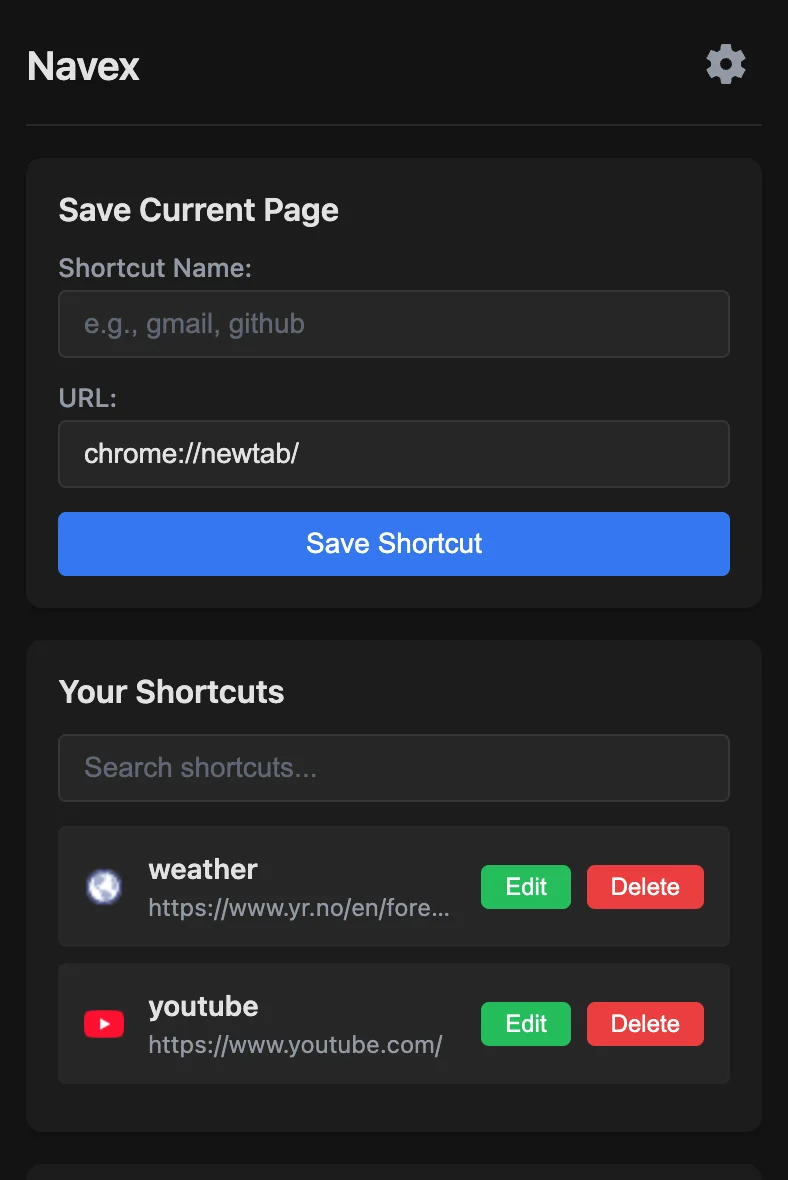
Save the current page as a shortcut in one click. Edit, rename or delete from a clean popup.
Import & export
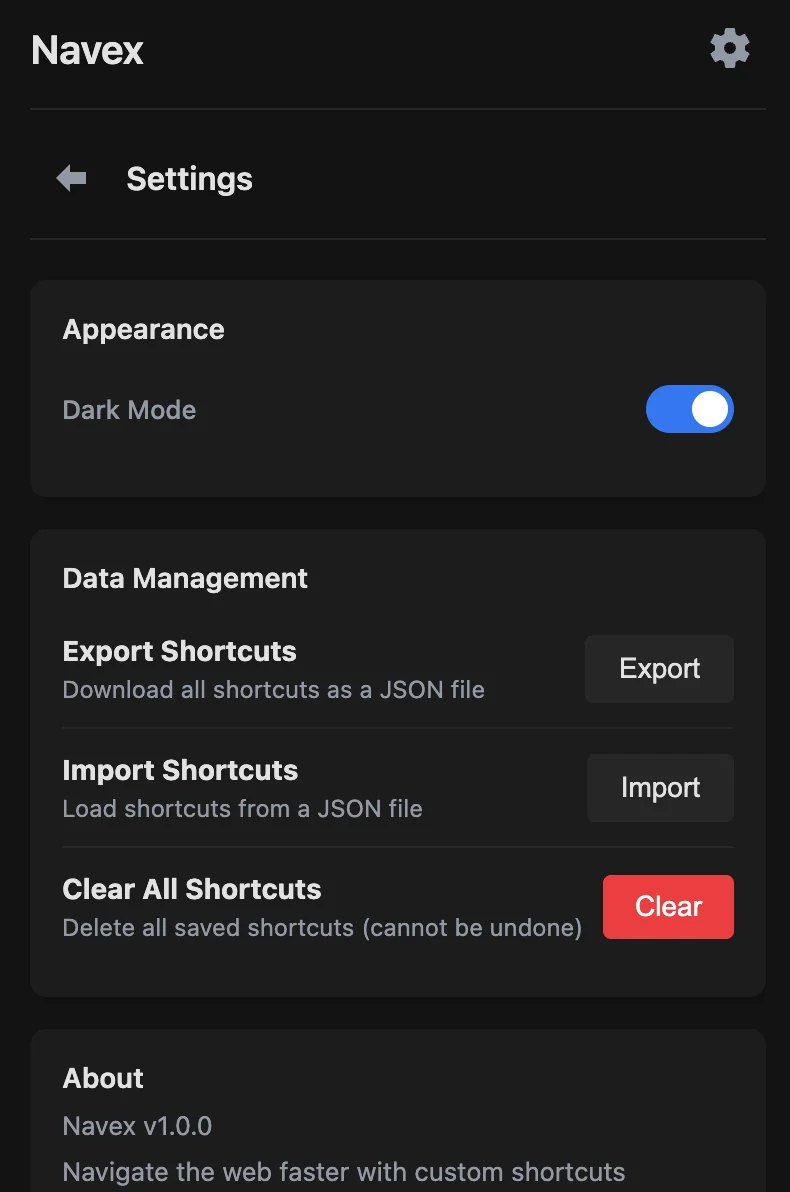
Back up every shortcut as JSON and restore it anywhere. Chrome Sync keeps your browsers in step.
Dark mode
A comfortable dark theme, toggled from settings and synced across your devices.
Power-user flags
Use --delete and --rename for advanced operations right from the URL bar.
Interface
Everything in one popup
Save pages, search and manage shortcuts, and handle backups from the toolbar.
Getting started
Up and running in a minute
- 01
Install the extension
Add Navex to Chrome from the Chrome Web Store. It takes one click.
- 02
Save a shortcut
Open the Navex popup on any page and give it a name, for example
mailfor Gmail. - 03
Type and go
In the URL bar, type:
@mail↵
Made for
People who live in their browser
- Developers switching between dashboards, docs and tools
- Productivity enthusiasts tuning their workflow
- Anyone who visits the same sites every day
- Remote workers juggling many web apps
Private by design
- Shortcuts live in Chrome's own storage and sync only through Chrome Sync
- No analytics, tracking or advertisements
- No personal information collected
- Only favicon lookups leave your browser, via Google's favicon service
Ready to navigate smarter?
Install Navex and turn the sites you visit every day into shortcuts you can reach from the URL bar.